Overview
This quickstart guide will help you:- Run the AI Gateway locally
- Make your first API call to an LLM
- Add routing rules and guardrails
Prerequisites: You’ll need Node.js installed and an API key from any LLM provider (OpenAI, Anthropic, etc.)
Step 1: Start the Gateway
The fastest way to run the gateway is usingnpx:
The Gateway is now running on
http://localhost:8787/v1The Gateway Console is available at http://localhost:8787/public/Step 2: Make Your First Request
Now let’s send a request through the gateway. The gateway provides an OpenAI-compatible API, so you can use any OpenAI SDK or HTTP client.Success! You just made your first request through the AI Gateway.
View Your Logs
Open the Gateway Console athttp://localhost:8787/public/ to see all your requests and responses in one place:
Step 3: Add Routing & Guardrails
Now let’s add some production-ready features. Configs allow you to create routing rules, add reliability, and setup guardrails.Add Automatic Retries
Add Output Guardrails
Validate and filter LLM responses: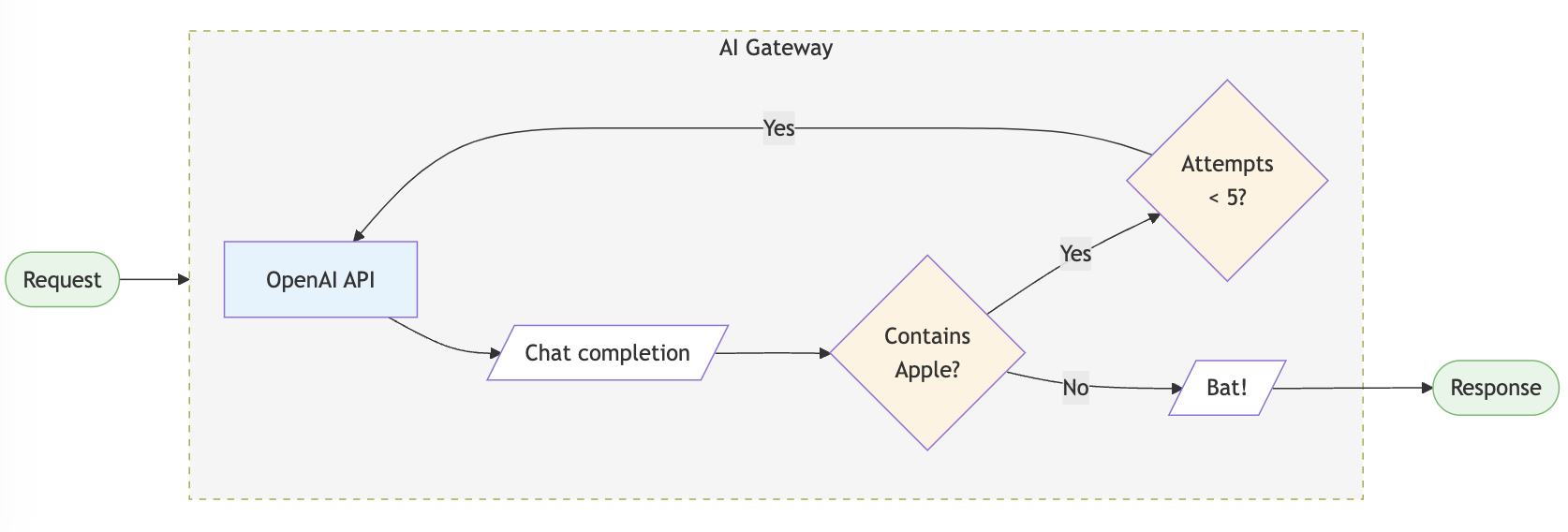
Setup Fallback Routing
Automatically failover to a backup provider:Load Balancing
Distribute requests across multiple API keys:Supported Libraries & Frameworks
The AI Gateway works with all major libraries and frameworks:Python SDK
Use the Portkey Python SDK
JavaScript SDK
Use the Portkey JS/TS SDK
OpenAI SDKs
Use native OpenAI SDKs
LangChain
Integrate with LangChain
LlamaIndex
Integrate with LlamaIndex
REST API
Use any HTTP client
What’s Next?
You’re now ready to explore more advanced features:Explore Config Options
Learn about all available config options for routing and guardrails
Supported Providers
See the full list of 250+ supported LLMs
Production Deployment
Deploy to production with Docker, Kubernetes, or cloud providers
Advanced Features
Explore caching, streaming, multi-modal, and more
Need Help?
Join Discord
Get help from the community
View Examples
Browse cookbook examples
Enterprise Users: Looking for advanced security, governance, and compliance features? Check out the enterprise version.