> ## Documentation Index
> Fetch the complete documentation index at: https://mintlify.com/portkey-AI/gateway/llms.txt
> Use this file to discover all available pages before exploring further.
# Welcome to Portkey AI Gateway
> A blazing fast AI Gateway routing to 250+ LLMs with sub-1ms latency
 ## What is Portkey AI Gateway?
The **AI Gateway** is an open-source, lightweight solution designed for fast, reliable, and secure routing to 1600+ language, vision, audio, and image models. Built with Hono framework for TypeScript/JavaScript, it processes over **10 billion tokens daily** in production environments.
Sub-1ms latency with a tiny 122kb footprint
Processing 10B+ tokens daily in production
Enhanced security, scale, and custom deployments
## Why Choose AI Gateway?
### Universal LLM Integration
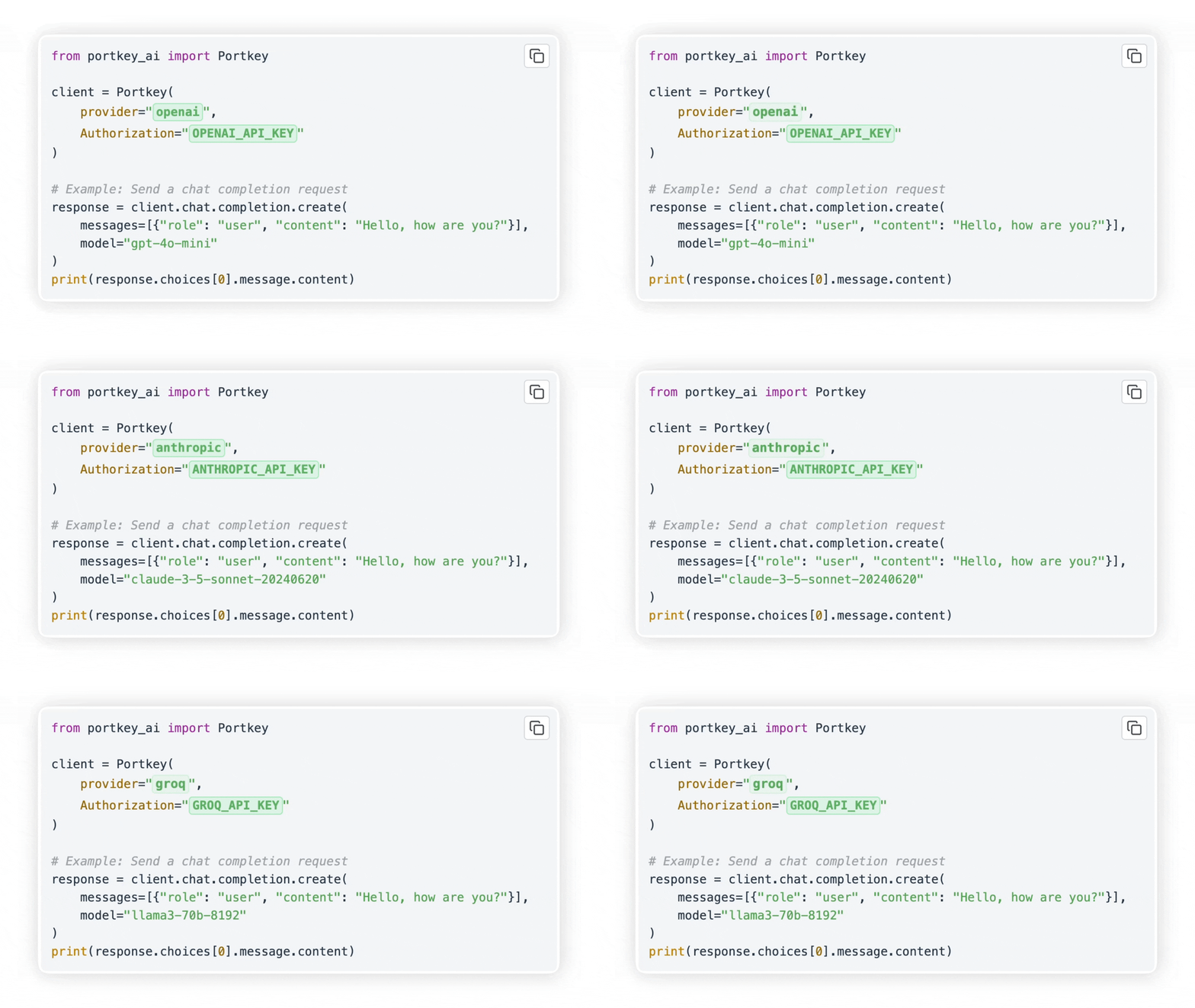
Integrate with **any LLM in under 2 minutes**. The gateway provides a unified OpenAI-compatible API for 250+ models across 45+ providers including:
* OpenAI, Azure OpenAI, Anthropic Claude
* Google Gemini, AWS Bedrock, Cohere
* Together AI, Groq, Perplexity, Mistral
* Ollama, Hugging Face, and many more
### Production-Grade Reliability
Retry failed requests up to 5 times with exponential backoff
Automatically switch to backup providers on failures
Distribute requests across multiple API keys or providers
Set granular timeouts to manage latencies
### Advanced Features
* **Guardrails**: Verify LLM inputs and outputs with 40+ pre-built guardrails
* **Multi-modal Support**: Text, vision, audio, image generation, and real-time APIs
* **Smart Caching**: Reduce costs and improve latency with response caching
* **Conditional Routing**: Route requests based on custom logic and conditions
* **MCP Gateway**: Centralized control plane for Model Context Protocol servers
## Quick Links
Get started with these essential resources:
Make your first API call in under 5 minutes
Deploy the gateway with npx, Docker, or Node.js
Learn about routing, configs, and providers
Explore the complete API documentation
## Key Capabilities
### Routing & Load Balancing
Distribute requests intelligently across multiple providers and API keys:
```python theme={null}
config = {
"strategy": {
"mode": "loadbalance",
},
"targets": [
{"provider": "openai", "api_key": "sk-***", "weight": 0.7},
{"provider": "anthropic", "api_key": "sk-ant-***", "weight": 0.3}
]
}
client = client.with_options(config=config)
```
### Guardrails
Protect your AI deployments with input/output validation:
```python theme={null}
config = {
"retry": {"attempts": 5},
"output_guardrails": [{
"default.contains": {"operator": "none", "words": ["Apple"]},
"deny": True
}]
}
client = client.with_options(config=config)
```
The retry config ensures requests are retried up to 5 times, while the guardrail denies any response containing "Apple".
### Multi-Provider Fallbacks
Automatically failover to backup providers:
```python theme={null}
config = {
"strategy": {"mode": "fallback"},
"targets": [
{"provider": "openai", "api_key": "sk-***"},
{"provider": "anthropic", "api_key": "sk-ant-***"}
]
}
```
## Architecture
The AI Gateway is built with:
* **Hono Framework**: Fast, lightweight web framework supporting multiple runtimes
* **Provider System**: Modular provider implementations with standardized interfaces
* **Middleware Pipeline**: Request validation, caching, logging, and routing
* **Plugin System**: Extensible guardrails for content filtering and validation
The gateway runs on multiple environments: Node.js, Cloudflare Workers, Docker, Kubernetes, and more.
## Community & Support
Star the repository and contribute
Join our community for help
Follow for updates and tips
## Next Steps
Follow the [quickstart guide](/quickstart) to get the gateway running locally in 2 minutes.
Send your first API call to any LLM provider through the gateway.
Learn about [routing](/concepts/routing), [guardrails](/concepts/guardrails), and [caching](/concepts/caching).
Choose your [deployment method](/deployment/overview) for production use.
**Need Enterprise Features?** Check out our [enterprise version](/deployment/enterprise) with advanced security, governance, and compliance features.
## What is Portkey AI Gateway?
The **AI Gateway** is an open-source, lightweight solution designed for fast, reliable, and secure routing to 1600+ language, vision, audio, and image models. Built with Hono framework for TypeScript/JavaScript, it processes over **10 billion tokens daily** in production environments.
Sub-1ms latency with a tiny 122kb footprint
Processing 10B+ tokens daily in production
Enhanced security, scale, and custom deployments
## Why Choose AI Gateway?
### Universal LLM Integration
Integrate with **any LLM in under 2 minutes**. The gateway provides a unified OpenAI-compatible API for 250+ models across 45+ providers including:
* OpenAI, Azure OpenAI, Anthropic Claude
* Google Gemini, AWS Bedrock, Cohere
* Together AI, Groq, Perplexity, Mistral
* Ollama, Hugging Face, and many more
### Production-Grade Reliability
Retry failed requests up to 5 times with exponential backoff
Automatically switch to backup providers on failures
Distribute requests across multiple API keys or providers
Set granular timeouts to manage latencies
### Advanced Features
* **Guardrails**: Verify LLM inputs and outputs with 40+ pre-built guardrails
* **Multi-modal Support**: Text, vision, audio, image generation, and real-time APIs
* **Smart Caching**: Reduce costs and improve latency with response caching
* **Conditional Routing**: Route requests based on custom logic and conditions
* **MCP Gateway**: Centralized control plane for Model Context Protocol servers
## Quick Links
Get started with these essential resources:
Make your first API call in under 5 minutes
Deploy the gateway with npx, Docker, or Node.js
Learn about routing, configs, and providers
Explore the complete API documentation
## Key Capabilities
### Routing & Load Balancing
Distribute requests intelligently across multiple providers and API keys:
```python theme={null}
config = {
"strategy": {
"mode": "loadbalance",
},
"targets": [
{"provider": "openai", "api_key": "sk-***", "weight": 0.7},
{"provider": "anthropic", "api_key": "sk-ant-***", "weight": 0.3}
]
}
client = client.with_options(config=config)
```
### Guardrails
Protect your AI deployments with input/output validation:
```python theme={null}
config = {
"retry": {"attempts": 5},
"output_guardrails": [{
"default.contains": {"operator": "none", "words": ["Apple"]},
"deny": True
}]
}
client = client.with_options(config=config)
```
The retry config ensures requests are retried up to 5 times, while the guardrail denies any response containing "Apple".
### Multi-Provider Fallbacks
Automatically failover to backup providers:
```python theme={null}
config = {
"strategy": {"mode": "fallback"},
"targets": [
{"provider": "openai", "api_key": "sk-***"},
{"provider": "anthropic", "api_key": "sk-ant-***"}
]
}
```
## Architecture
The AI Gateway is built with:
* **Hono Framework**: Fast, lightweight web framework supporting multiple runtimes
* **Provider System**: Modular provider implementations with standardized interfaces
* **Middleware Pipeline**: Request validation, caching, logging, and routing
* **Plugin System**: Extensible guardrails for content filtering and validation
The gateway runs on multiple environments: Node.js, Cloudflare Workers, Docker, Kubernetes, and more.
## Community & Support
Star the repository and contribute
Join our community for help
Follow for updates and tips
## Next Steps
Follow the [quickstart guide](/quickstart) to get the gateway running locally in 2 minutes.
Send your first API call to any LLM provider through the gateway.
Learn about [routing](/concepts/routing), [guardrails](/concepts/guardrails), and [caching](/concepts/caching).
Choose your [deployment method](/deployment/overview) for production use.
**Need Enterprise Features?** Check out our [enterprise version](/deployment/enterprise) with advanced security, governance, and compliance features.